

The content editor
The Body editor is where a page comes to life. It’s a rich-text editor, so you format content visually and see structure as you type — no HTML required.
Write mode
Section titled “Write mode”With Write selected, the toolbar sits above your content.
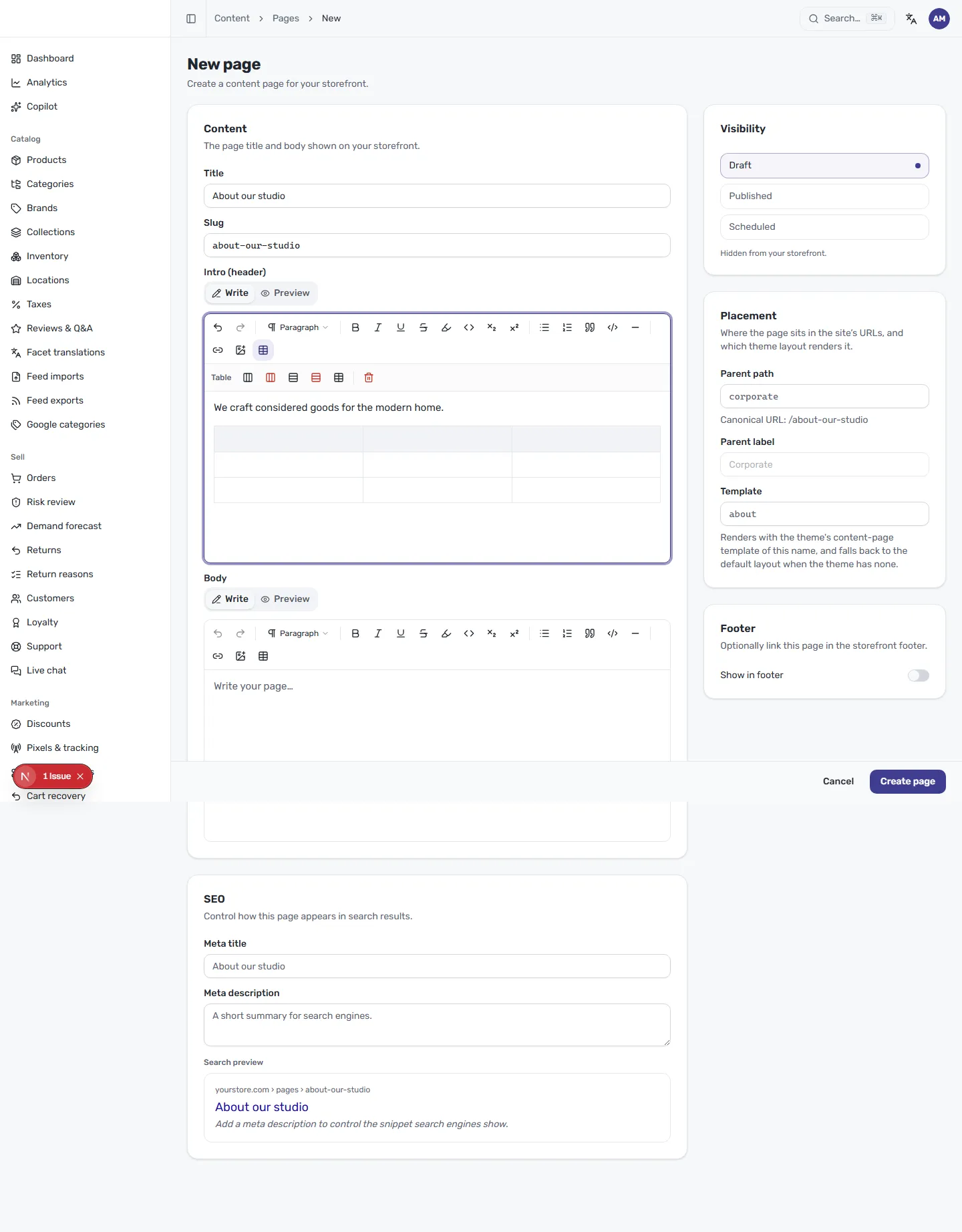
The toolbar covers everything you need for a polished page:
- Undo and redo for quick corrections.
- A paragraph / heading menu to set text structure.
- Inline styles — bold, italic, underline, strikethrough, highlight, and inline code, plus subscript and superscript.
- Bullet and numbered lists, blockquotes, code blocks, and a horizontal rule to divide sections.
- Links, images, and tables.
When you insert a table, a second row of table controls appears so you can add or remove rows and columns and delete the table.
Preview mode
Section titled “Preview mode”Select Preview to see the page rendered the way it will appear on your storefront, framed in a browser window at its real URL.
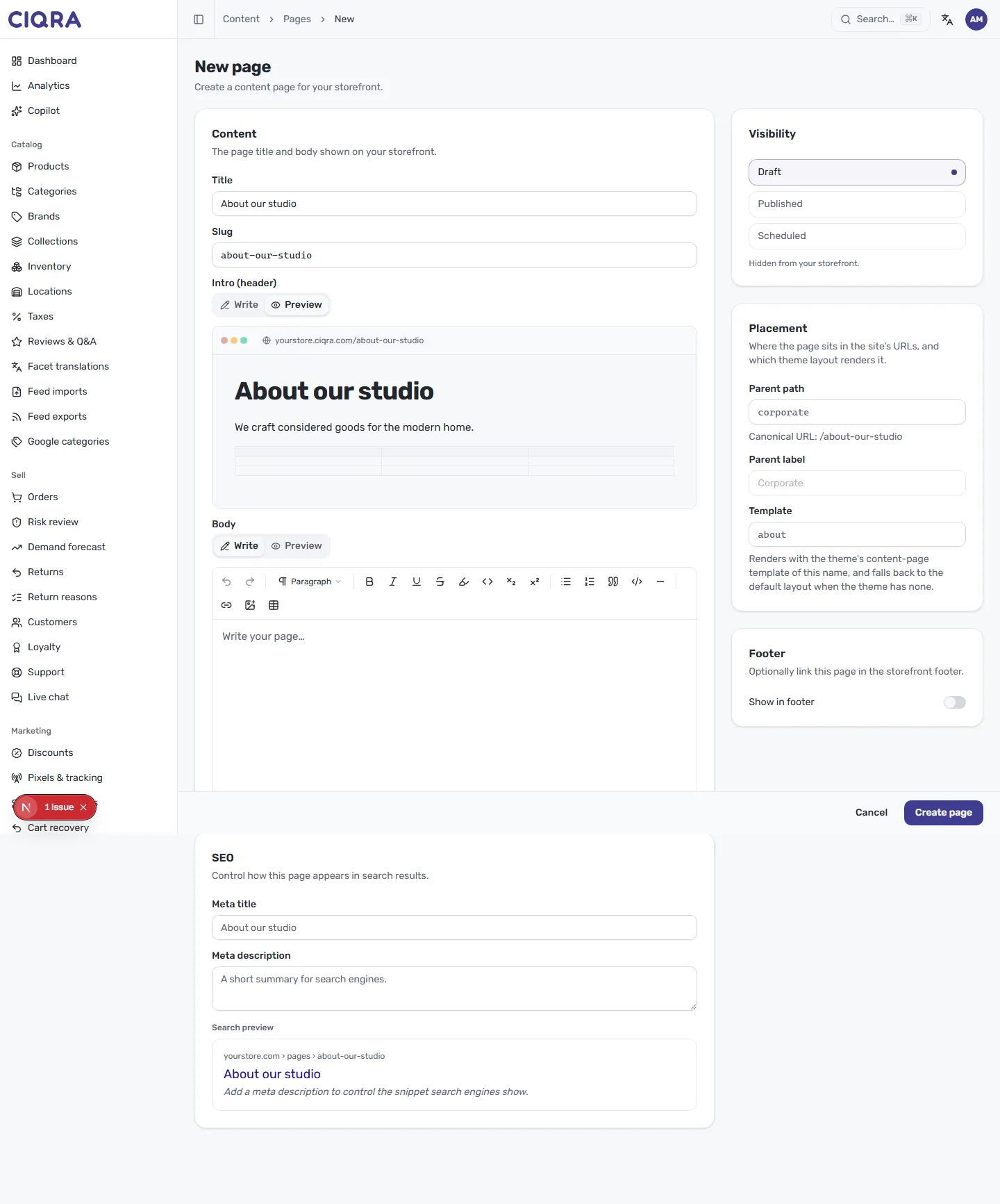
Preview reflects your title, slug and formatting together, so it’s the fastest way to catch a stray heading level or an awkward line break before you publish. Switch back to Write whenever you want to keep editing — your work carries across both modes.