

Handle returns
When a customer wants to send something back, it shows up in Returns — your queue for reviewing requests and deciding whether to refund. You’ll find it in the left sidebar under Sell → Returns.
The returns queue
Section titled “The returns queue”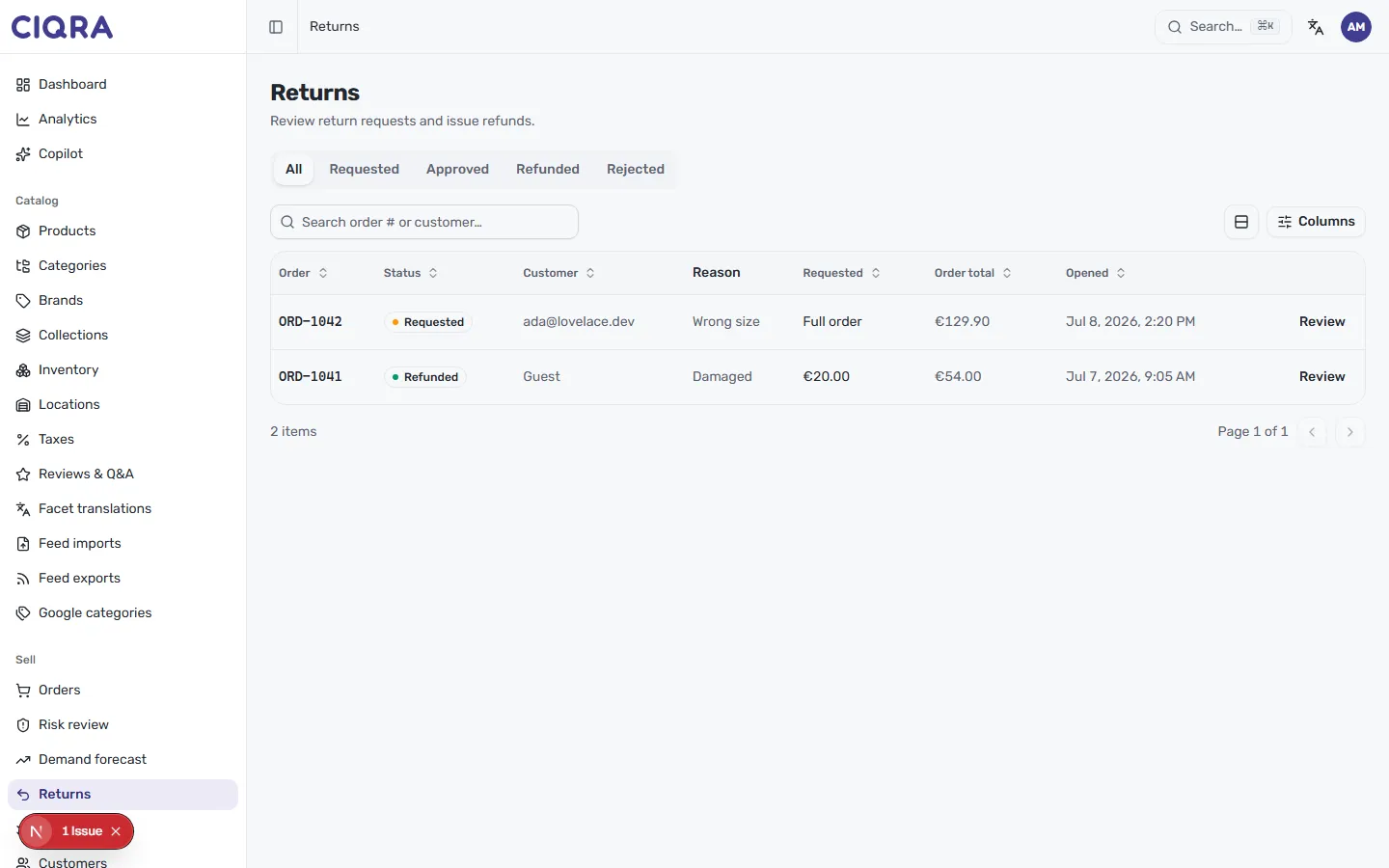
Each row is one return request, with the details you need to triage it:
- Order — the order the return belongs to (for example,
ORD-1042). - Status — where the request stands, such as Requested, Refunded or Rejected.
- Customer — who opened it, or Guest.
- Reason — why they’re returning it (for example, Wrong size or Damaged).
- Requested — what’s being returned, such as Full order or a specific amount.
- Order total — the value of the original order.
- Opened — when the request came in.
The tabs — All, Requested, Approved, Refunded and Rejected — let you focus on just the requests at a given stage. Requested is the one to watch: those are waiting on you. Use the search box to find a request by order number or customer, and Columns to choose which columns show.
To open a request, select Review at the end of its row.
Review a request
Section titled “Review a request”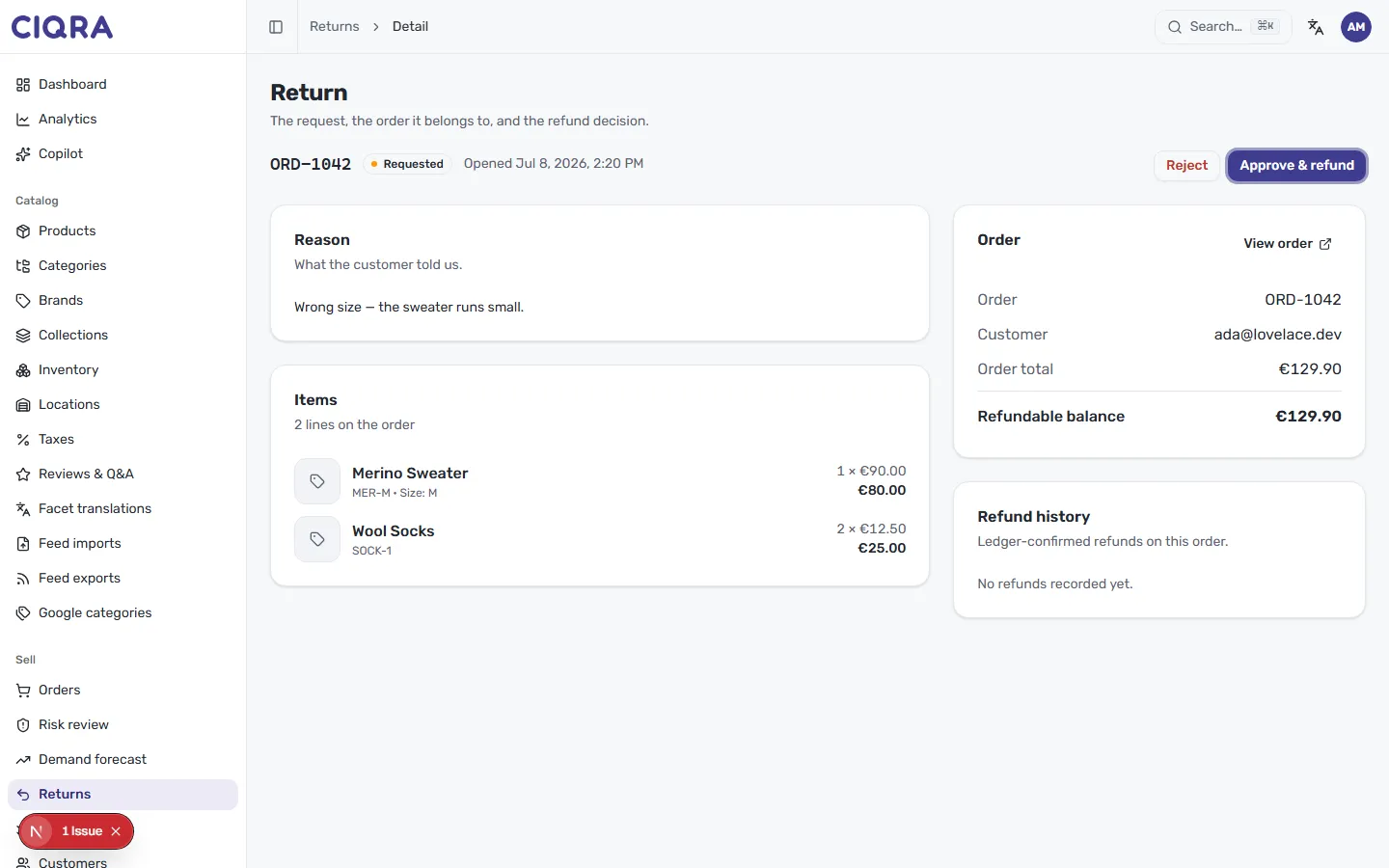
The return detail page brings together the request, the order it belongs to, and the refund decision. Here’s what to check before you decide:
- Reason — the customer’s own words about why they’re returning (what the customer told us), so you understand the context.
- Items — the lines on the order, with quantities and prices.
- Order — a summary of the linked order, including the Refundable balance — how much you can still refund. Use View order to open the full order if you need more detail.
- Refund history — any ledger-confirmed refunds already issued on this order, so you don’t refund twice.
Approve or reject
Section titled “Approve or reject”The header shows the order number, the request status (for example, Requested) and when it was opened. Two actions sit on the right:
- Approve & refund accepts the return and issues the refund against the order’s refundable balance.
- Reject declines the request.