

Refund an order
A refund returns money to a customer for an order — all of it, or just part. In CIQRA the money flows back through CIQRA Pay to the original payment, so you don’t refund people by hand outside the platform. The clearest place to see and issue a refund is on a return.
Refunding through a return
Section titled “Refunding through a return”When a customer sends something back, you decide the refund from the return detail. The page brings together the request, the order it belongs to, and the refund decision.
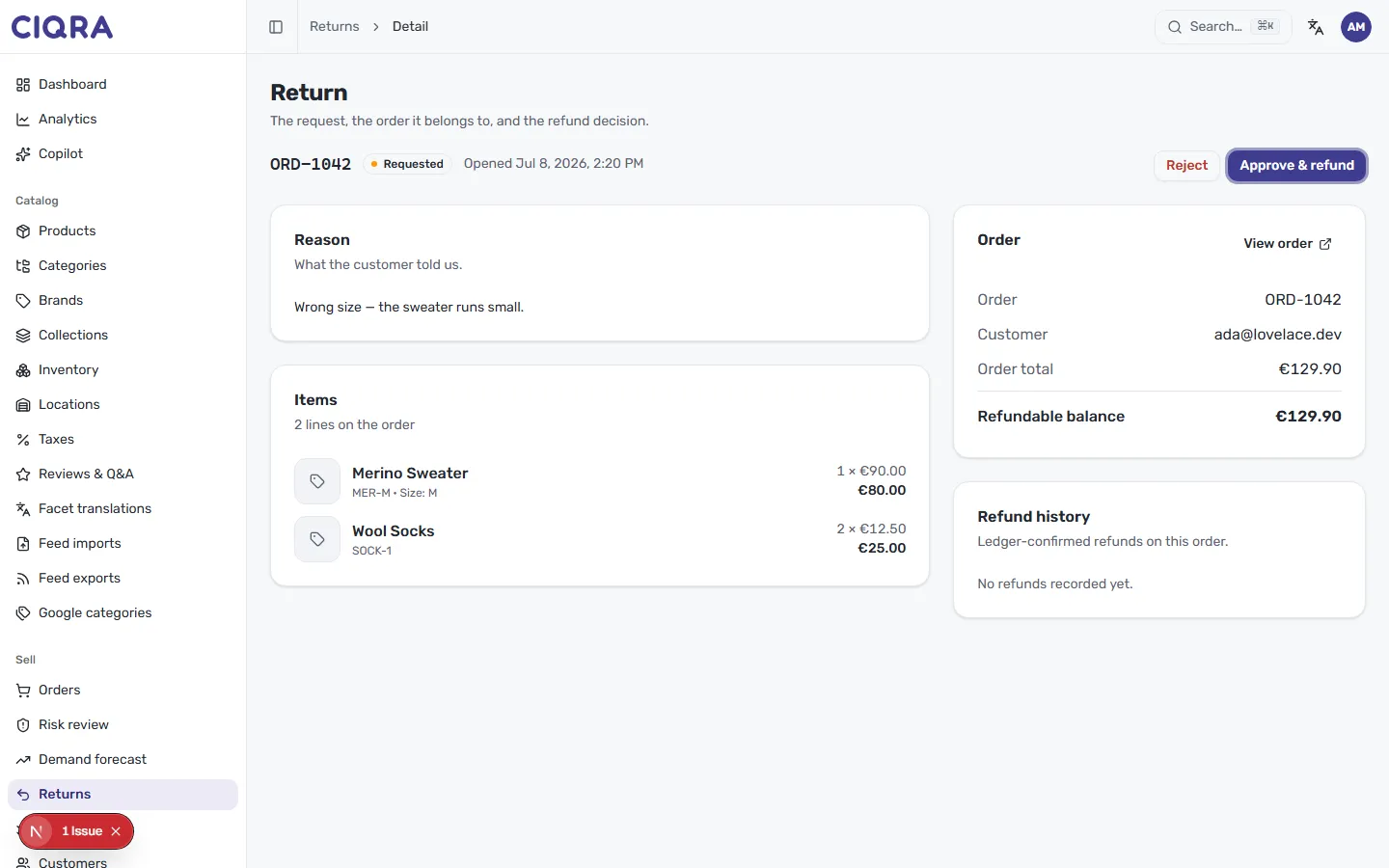
Before you refund, check two things on this page:
- Refundable balance — how much you can still refund on the order. In the example, the full €129.90 is refundable because nothing has been returned yet.
- Refund history — ledger-confirmed refunds on this order. Here it reads No refunds recorded yet, so you know you won’t be refunding twice.
Then use the header actions: Approve & refund accepts the return and issues the refund against the refundable balance, while Reject declines the request. The step-by-step review is covered in Handle returns.
Full and partial refunds
Section titled “Full and partial refunds”Because the decision is anchored to the order’s refundable balance, you can return the whole order total or a portion of it — the balance is what limits how much can go back. Each refund is written to the order’s refund history, so repeated or partial refunds always add up to no more than what the customer originally paid.
How refunds flow through CIQRA Pay
Section titled “How refunds flow through CIQRA Pay”CIQRA Pay is your store’s payments engine, built on Stripe Connect. A refund reverses part or all of the original charge back to the customer’s payment method through the same system that took it. You can see the money side of an order on its Payment card — what was Charged, the CIQRA Pay fee, and the Net you received — on the order detail page.