

Verify tracking with test events
A destination that looks connected isn’t the same as one that’s actually delivering events. The Send test event flow closes that gap: it fires a single test conversion server-side, from CIQRA to the destination, so you can confirm — in the destination’s own console — that your credentials are right and events are landing before you trust the connection with real sales.
Where the test lives
Section titled “Where the test lives”Open Pixels & tracking, select Configure on the destination you want to check, and look at the bottom of the editor for the Verify the connection panel.
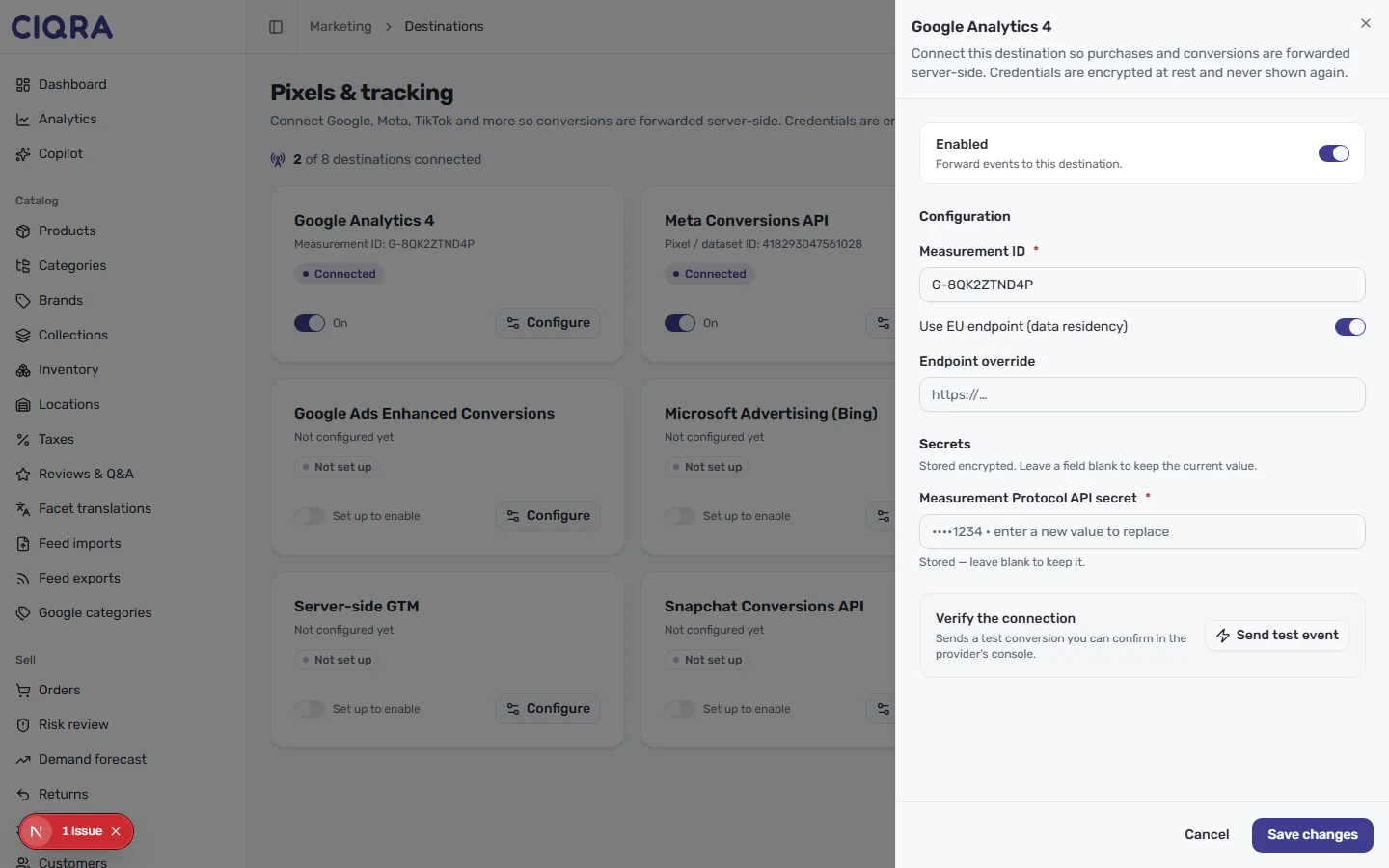
The panel is the same on every destination. Its helper text reads Sends a test conversion you can confirm in the provider’s console, next to a Send test event button.
Send the test
Section titled “Send the test”- Make sure the Configuration identifier (such as the Measurement ID or pixel ID) and the Secrets value are filled in — CIQRA needs both to send.
- Select Send test event. CIQRA sends one test conversion server-side to that destination.
- Open the destination platform’s own reporting and look for the test conversion. GA4, for example, surfaces incoming events in its property; each ad platform has an equivalent view.
Because the event is sent from CIQRA’s server, a successful test confirms the whole path end to end: your credentials are valid, the destination accepted the event, and the server-side forwarding works.
If the test doesn’t arrive
Section titled “If the test doesn’t arrive”A test that never shows up in the provider’s console almost always comes down to the credentials:
- Double-check the identifier — a single wrong character in a Measurement ID or pixel ID sends events nowhere.
- Re-enter the secret — since secrets are encrypted and never shown again, an expired or mistyped key can’t be spotted by looking at the field. Paste a fresh value and test again.
- Give it a moment — some platforms take a short while to display incoming events in their reporting.
For a wider look at why conversions might not be reaching a platform, see Tracking isn’t firing.
Save once it lands
Section titled “Save once it lands”When the test conversion appears in the provider’s console, select Save changes. Your destination is verified — with Enabled on, CIQRA now forwards real conversions the same reliable way.