

Order and return history
A customer’s profile is where their whole relationship with your store comes together — how much they’ve spent, how often they buy, and what they’ve ordered or sent back. Reading it well tells you at a glance who your best customers are and how to look after them.
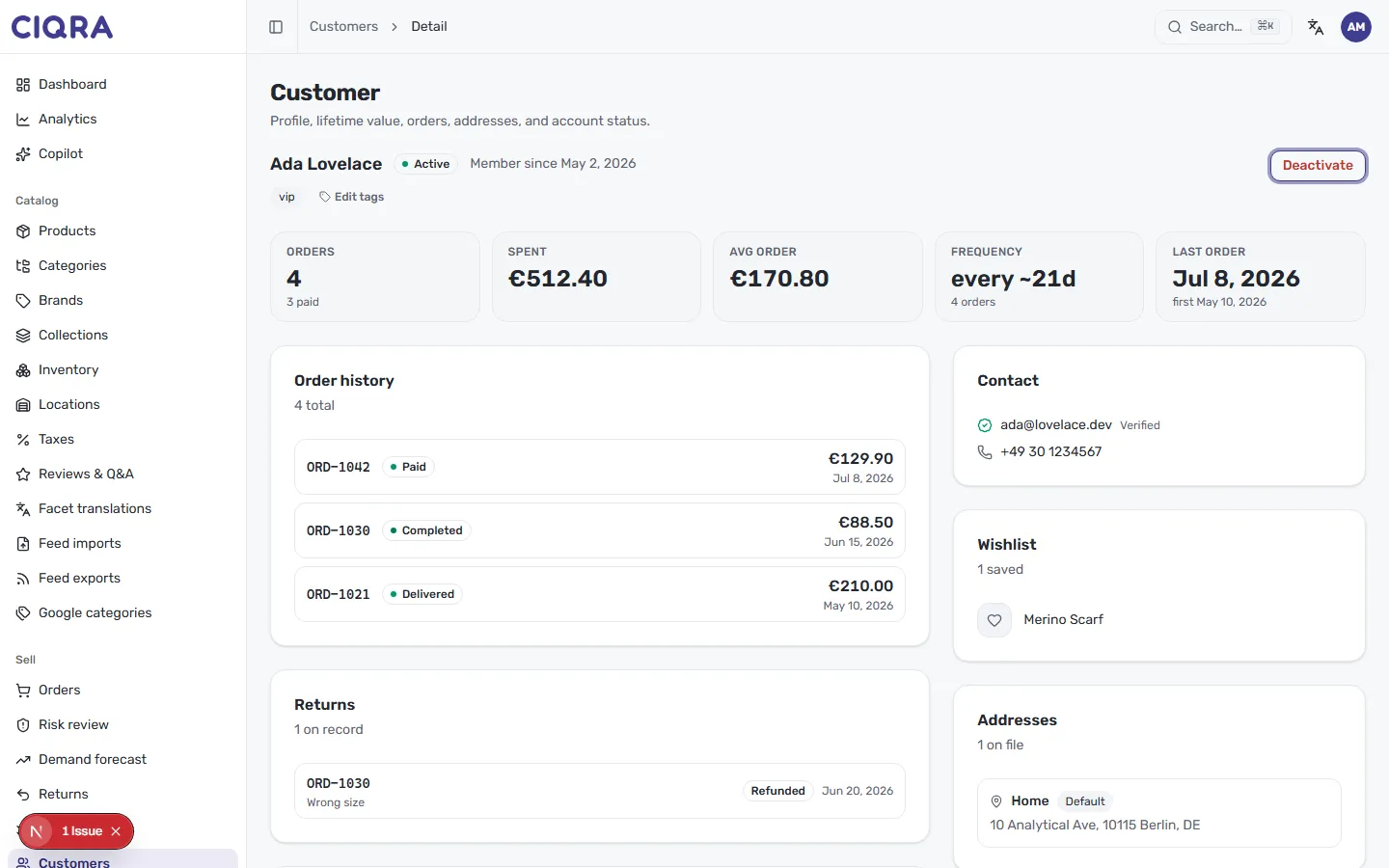
The summary tiles
Section titled “The summary tiles”A row of tiles across the top sums up the customer’s value and activity at a glance:
- Orders — how many they’ve placed, with how many are paid underneath (for example, 4 orders, 3 paid).
- Spent — their total lifetime spend with you (for example, €512.40).
- Avg order — their average order value (for example, €170.80).
- Frequency — roughly how often they order (for example, every ~21d across 4 orders).
- Last order — the date of their most recent order, with when they first bought underneath.
Together these are your quick read on lifetime value: a high Spent with a short Frequency marks a loyal, high-value customer worth tagging and looking after.
Order history
Section titled “Order history”The Order history card lists the customer’s orders, newest first, each with its:
- Order number — for example,
ORD-1042. - Status — where the order stands, such as Paid, Completed or Delivered.
- Total — what the order came to.
- Date — when it was placed.
This is the customer’s buying pattern without leaving the page. To open the full order, work from the Orders list; to understand what each status label means, see Order statuses explained.
Returns
Section titled “Returns”Alongside their orders, the Returns card shows anything the customer has sent back, with the order it relates to, the reason (for example, Wrong size) and the outcome (for example, Refunded). It’s the fast way to spot a customer who returns often, or to check how a past return was resolved before you reply to them.